Introduction
In our last post, we built a server that could respond with a simple "status: ok". But a server that talks only to itself is useless. To build real applications, our server needs a standard way to talk to the outside world—mobile apps, websites, or other servers.
Enter the API.
You’ve heard the acronym a thousand times. Today, we’re going to demystify exactly what it is, what a real HTTP Request and Response look like under the hood, and why we are choosing REST as our architecture for this series.
What is an API?
An API (Application Programming Interface) is a software intermediary that allows two applications to talk to each other. Think of it as a digital bridge or a messenger that takes your request to a system and brings the system's response back to you.
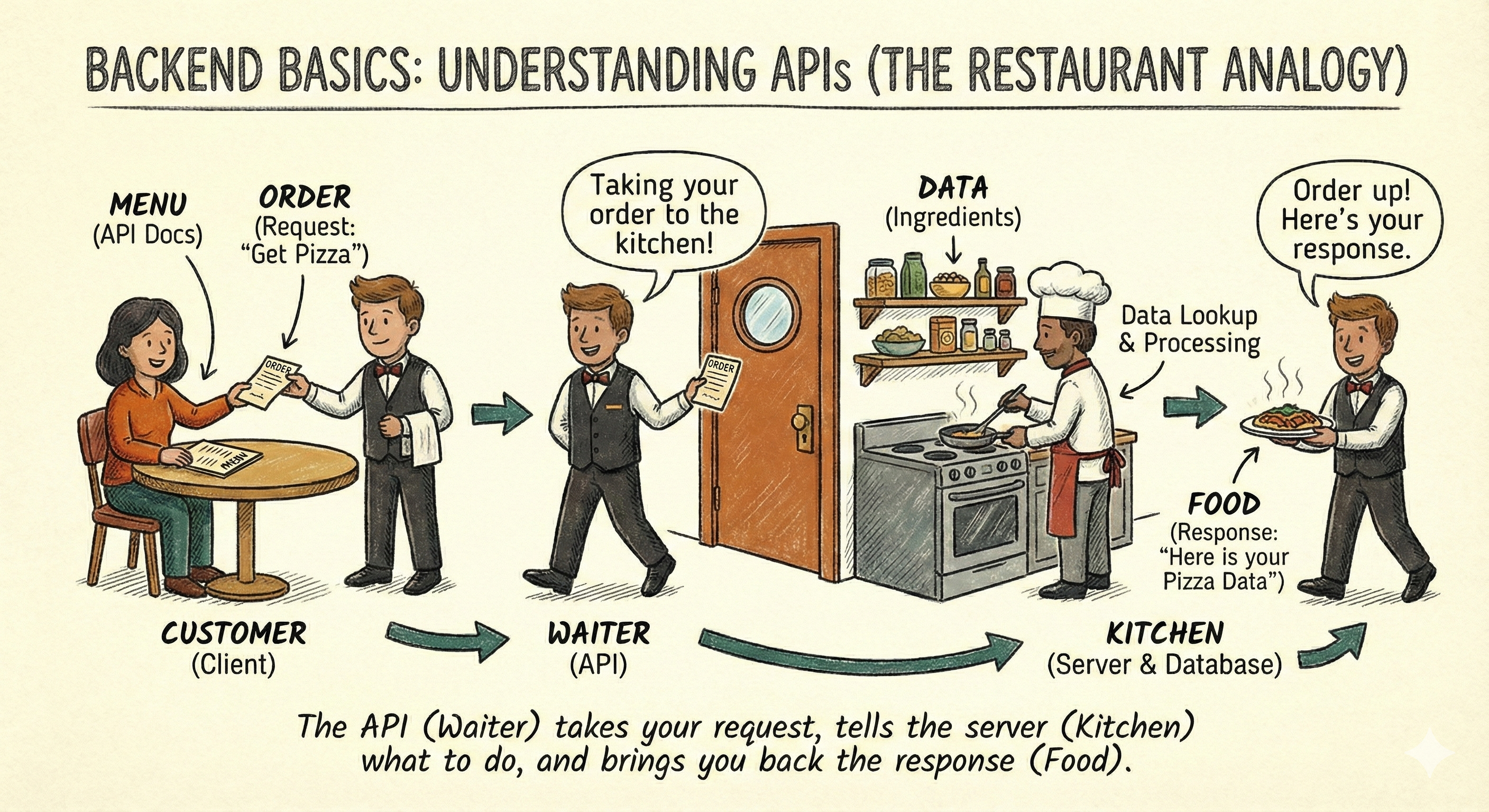
The Restaurant Analogy
To understand the basics, imagine you are at a restaurant:
- The Client (You): You are sitting at the table looking at the menu, ready to order.
- The Server (The Kitchen): This is the system that prepares your food (data).
- The API (The Waiter): The waiter takes your order, tells the kitchen what to do, and brings the food back to your table. Without the waiter, you’d have no way to communicate with the kitchen.
How Do APIs Work in Code?
APIs operate through a Request-Response cycle between a client and a server. But what does the waiter's "notepad" actually look like? Underneath everything, it is just raw text sent over the internet.
1. The Request (The Order)
When a client (like your web browser or a mobile app) asks for something, it sends an HTTP Request.
Here is what a raw request to get a user's profile looks like:
GET /users/123 HTTP/1.1
Host: api.example.com
Authorization: Bearer my-secret-token
Accept: application/json
Let's break this down:
- The Method (
GET): The action we want to take (we just want to "Read" data). - The Endpoint (
/users/123): The specific location of the resource we want. - The Headers (
Host,Authorization,Accept): Extra metadata. It's like telling the waiter, "I have a VIP pass (Authorization) and I only speak English (Accept)." - The Body (Optional): If we were creating a user, we'd add a body with their
{ "name": "John" }. Since we are just asking for data, the body is empty.
2. The Response (The Food)
The server processes the request and sends back an HTTP Response:
HTTP/1.1 200 OK
Content-Type: application/json
Date: Mon, 27 Oct 2025 10:00:00 GMT

{
  "id": 123,
  "name": "Alex",
  "email": "[email protected]"
}
Breaking this down:
- The Status Code (
200 OK): The quick summary of what happened. 200 means success! - The Headers (
Content-Type): Telling the client, "Hey, the data I'm giving you is formatted as JSON." - The Data (The JSON Body): The actual information you requested.
Common API Architectures
While all APIs serve as messengers, they speak different "languages." As a modern backend developer, you will primarily work with REST, but it is important to recognize there are other ways.
The Standard: REST (Representational State Transfer)
- What it is: The most common architecture for web services, heavily relying on the URL to define the resource.
- How it works: It uses standard HTTP methods (GET, POST, DELETE) to manage resources (like Users or Posts).
- Why we use it: It is simple, cacheable, and widely supported. (We will use this pattern exclusively for this series!).
Honorable Mentions
- GraphQL: Developed by Facebook. Instead of hitting
/users/123and getting whatever the server decides to send you, you hit/graphqland write a query asking for exactly the fields you want. It's fantastic for complex frontend apps to save bandwidth. - SOAP (Simple Object Access Protocol): An older, stricter protocol using XML. You will mostly see this in legacy banking or enterprise systems. It's secure but heavy.
- gRPC: Extremely fast, binary-based communication often used for servers talking to other servers (Microservices) rather than browsers.
Comparison: REST vs. GraphQL
| Feature | REST | GraphQL |
|---|---|---|
| Philosophy | Resource-based (Fixed endpoints). | Demand-based (Flexible queries). |
| Efficiency | Can lead to over-fetching of data. | Client fetches precise data only. |
| Operations | HTTP methods define actions. | Query language defines actions. |
| Structure | Fixed response structures. | Client-defined structures. |
| Versioning | Explicit (e.g., /v1/, /v2/). |
Evolution without versioning. |
Summary
While there are many different API architectures like REST, GraphQL, and gRPC, they all share the fundamental goal of allowing systems to communicate. They are the critical backbone of the modern web.
Regardless of the "language" they speak, they all act as the waiters taking your order (the client's request) and bringing back your food (the server's response) through a continuous Request-Response cycle. By realizing that these requests and responses are ultimately just structured text containing headers and bodies, the entire magic of backend development starts to make perfect sense.
But how exactly do we tell the waiter what we want to do with our order? How do we say "I want to see the menu" versus "Cancel my order"?
In the next post, we will learn the grammar of the web: HTTP Methods and Status Codes.